remarkable_tweaks
Some Fixes For Remarkable
This describes a couple of fixes to Remarkable which aim to correct:
-
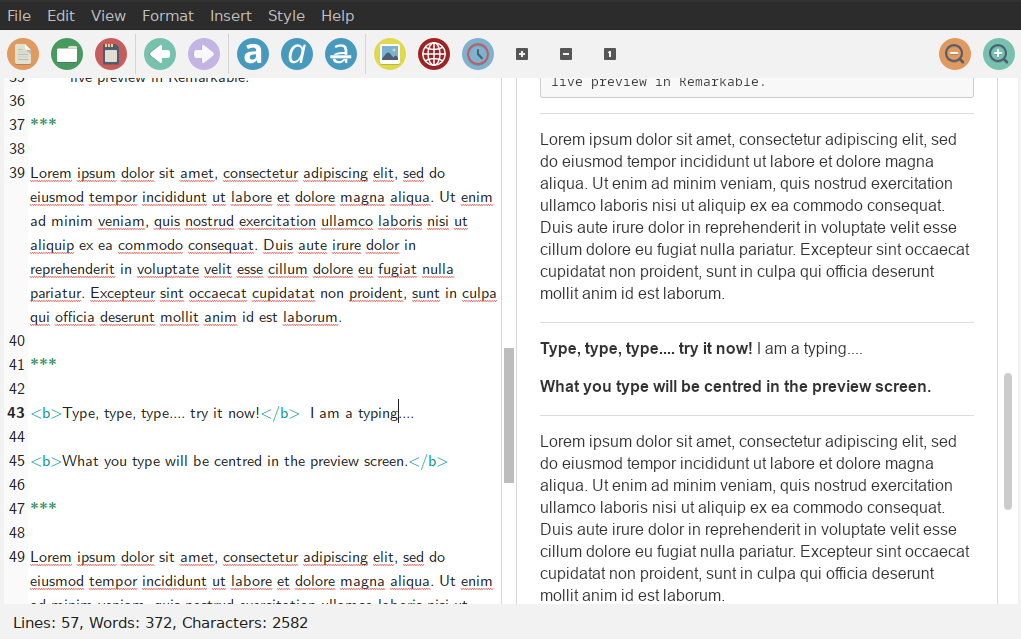
Scrolling behaviour of the live preview. The right-hand preview panel always used to jump to the top of the document as soon as you typed any new text.
-
Saving a styled pdf file. This used to give errors and, if it produced a pdf file, the pictures would be missing from it.
Scrolling of the preview panel.
A solution to this was posted by github user paiardin here and I found the preview window was much better but it was still very jumpy on my old linux laptop when editing large documents. I managed to get it to work better for me with some tweaking and the code is here. There is a bit more description here.
To see if this helps on your setup, you would need to be happy to download the file RemarkableWindow.py from the above link or from my github repository. Then you would need to use the search function in your file manager to find where the original file with this name is installed on your system. Obviously, I recommend making a safe copy of it or just renaming it first and this would need root or administrator privilege. Move the downloaded version of RemarkableWindow.py to that folder, again as root or administrator.
That is it! Restart Remarkable and the preview screen should stay wherever you are editing the file.
Indeed, this very document was written with the fixed version and it behaves just like the old Remarkable used to. Gorgeous. The code was revised by paiardin to allow different fonts in the text window, so you get the added benefit of that, too!
Saving to pdf
It looked like this problem was due to two files that were missing in my installation. When Remarkable saves a document as html, you can edit the file and see that it has inserted links to several files including:
highlight.min.js
and
highlightjs.default.min.css
On my installation, these two files were missing. I could see that it was looking for them in a folder called:
/usr/share/remarkable/media
The two files can be downloaded from the Remarkable github site here.
We need to find which folder Remarkable is expecting these files to be in. A look inside one of the html files it produces will tell you. You then need to move the above two files to that folder, again with root or admin privilege.
However, that still did not solve the problem when I started Remarkable from the command line like this:
remarkable my_file.md
The problem is that you either need to tell it the full path of the markdown file like this:
remarkable /home/jon/my_file.md
or you need to make sure that the markdown file contains the full path of each image file in it like this:

or both. Then it will render the styled pdf files correctly with the images included. In other words it is only sufficient to just give the relative path of each image, if the full path of the markdown file is specified on the command line. Using the relative path for each image is better if you want to mount your markdown or html on a server (like github) which will have a totally different file structure!
Jumpy live preview
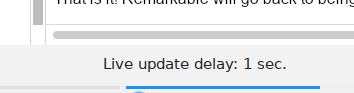
With an old computer and pictures in your document you, may still get a pronounced screen-flashing effect in the right-hand preview screen each time you type a new character. The tweaked version aims to reduce this effect by introducing a delay to the live updates so that they occur at fixed intervals. The default interval is one second which seems to be OK, but you may want to change it with the right-hand set of [+], [-] and [1] buttons shown below. Increasing it to say 3 or more seconds should help to reduce the flashing effect a bit more.
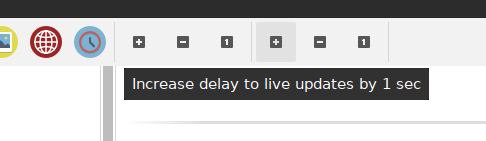
You may remove the delay altogether by clicking the [-] button to set it to zero. The current delay/interval is shown in the bottom line of the screen towards the right-hand side.